Chatbot Fallback Message Examples For Teams With No Live Chat
What a good fallback says, why the hand-off behind it matters more than the sentence, and copy-ready wording for the greeting, the channels and your own reply.

“Yes, we cover Harlow, and there’s no call-out fee.” Say that’s your website chatbot, replying to a visitor who asked whether you fit boilers in Harlow. Your site mentions neither. The bot guessed, and you pay for the guess later, when the customer who booked on the strength of it hears the real fee.
“I’m sorry, I don’t have that information.” Same question, a more careful bot. Nothing in that reply is false, and it costs you sooner: the visitor closes the tab and phones the next firm in the search results, and you never find out that anyone asked.
The chatbot fallback message examples below are for teams with nobody to transfer to. A larger company softens that second reply by passing the visitor to a person. You can’t, so the fallback is the whole handover. First, what a good one says. Then the setup we’d use in Flidu, the widget we build, where the AI writes its own can’t-answer reply and the wording you control sits around it.
What Should A Chatbot Say When It Cannot Answer?
Our position, before any wording: a fallback is a signpost, not an apology. Nobody reading it cares how sorry the bot is. What they want to know is where to take the question and how long they’ll wait.
Nielsen Norman Group’s 2018 usability study of chatbots (opens in a new tab) found that a bot admitting it hadn’t understood was disappointing but “better than a blatantly wrong answer”, and advised an escape hatch: a real human, a phone number or a link to a different channel. It was a small study that predates today’s AI bots, but the last two need nobody sitting in a chat window.
A fallback that works has four parts, in order.
- Admit the limit in one clause. “I don’t have an answer to that” is enough. Say sorry once at most, and never suggest the visitor asked badly.
- Say what the bot can still help with. One line naming two or three real topics keeps the visitor whose next question is an easy one.
- Offer one real route to a person. WhatsApp, a phone number, a short form or a booking page. Pick the one you check most often, and stop at two.
- Give a reply time you can keep. Name the days and hours as well as the speed, so the promise is still true at 9pm on a Friday.
I don't have an answer to that, and I'd rather not guess.

I can help with opening hours, prices and the areas we cover.

For anything else, message us on WhatsApp from the Contact tab. A person replies Monday to Friday, 9am to 5pm, usually within two hours.
That is 48 words. As a rule of thumb, stay under 60, so it reads on a phone without scrolling.
What To Leave Out
- “Let me connect you to an agent”, or any line that implies a person is on the way. Nobody is.
- “Please try again later.” The answer won’t be on your website later either.
Flidu Has No Fallback Message Field, So You Write Around It
Now the part we’d rather be straight about. In Flidu, Ask AI answers from sources you approve: your pages, a sitemap, files you upload. When those don’t cover a question it is instructed to say so instead of guessing, and the AI writes that reply itself, so the wording varies. There is no field for a fallback message of your own.
So parts two, three and four move into the widget around that reply: the greeting before the miss, the Contact tab beside it, the confirmation after. Each has a field you write. The one fixed line, “This feature is temporarily unavailable.”, shows only when Ask AI can’t respond at all, such as when the month’s AI messages run out.
Ask AI and the Contact tab belong to separate product lines, AI Chatbot and Website Widgets, each with a Free plan. Flidu isn’t live chat: nobody on your team can step into an Ask AI conversation, and what the visitor typed doesn’t follow them into WhatsApp. You reply later, from your own phone or email. If you doubt that’s enough, run our staffing test for live chat first.
How To Set Up The Hand-Off In Flidu
Step 1: Give The Contact Tab One Route You Answer
Build the Contact side first: it has to work when the assistant doesn’t.
- In the dashboard, open Website Widgets and start a new widget, or open the site you made at sign-up.
- On the widget’s Channels tab, open WhatsApp in the Channel Builder (use Add Channel if it isn’t listed). Keep Mode on Single Agent and enter your phone number, country code included, and an agent name.
- Write your hours and reply time into Description, the line a visitor reads under the channel’s title before tapping.
- Fill in Prefilled message, so the chat opens with a line already typed.
- Choose Save as Draft, then Publish changes. Test on WhatsApp opens the chat so you can check the number.
Hi, I'm on your website and have a question: This channel is on Website Widgets Free. Tapping it opens a chat with your number in WhatsApp, and the conversation stays there.
Step 2: Add A Call Button, Form And Booking Link
Some visitors won’t message a stranger’s phone. If they’d rather ring, give them a call button, also on Website Widgets Free: choose Add Channel, then Custom Link, type “Call now” into Display label and your number into Link URL, pick the Phone preset icon and publish as before. A tap opens the dialer; a desktop with no calling app does nothing. From Website Widgets Starter, analytics counts each tap as a Custom Link click, not a call. Below Website Widgets Business, one Custom Link can be live per widget.
Three more channels start on Website Widgets Starter.
- The Contact Form asks for a name, an email and a message. Set Notification email to an address somebody opens every morning, and put the reply time in Success Message.
- Book Appointment opens the booking page you already have, from the address in Booking URL. Slots and confirmations stay with your scheduler.
- Business Hours lists your week, each day with its hours or “Closed”, and a short Note underneath.
Step 3: Put Ask AI In The Same Widget
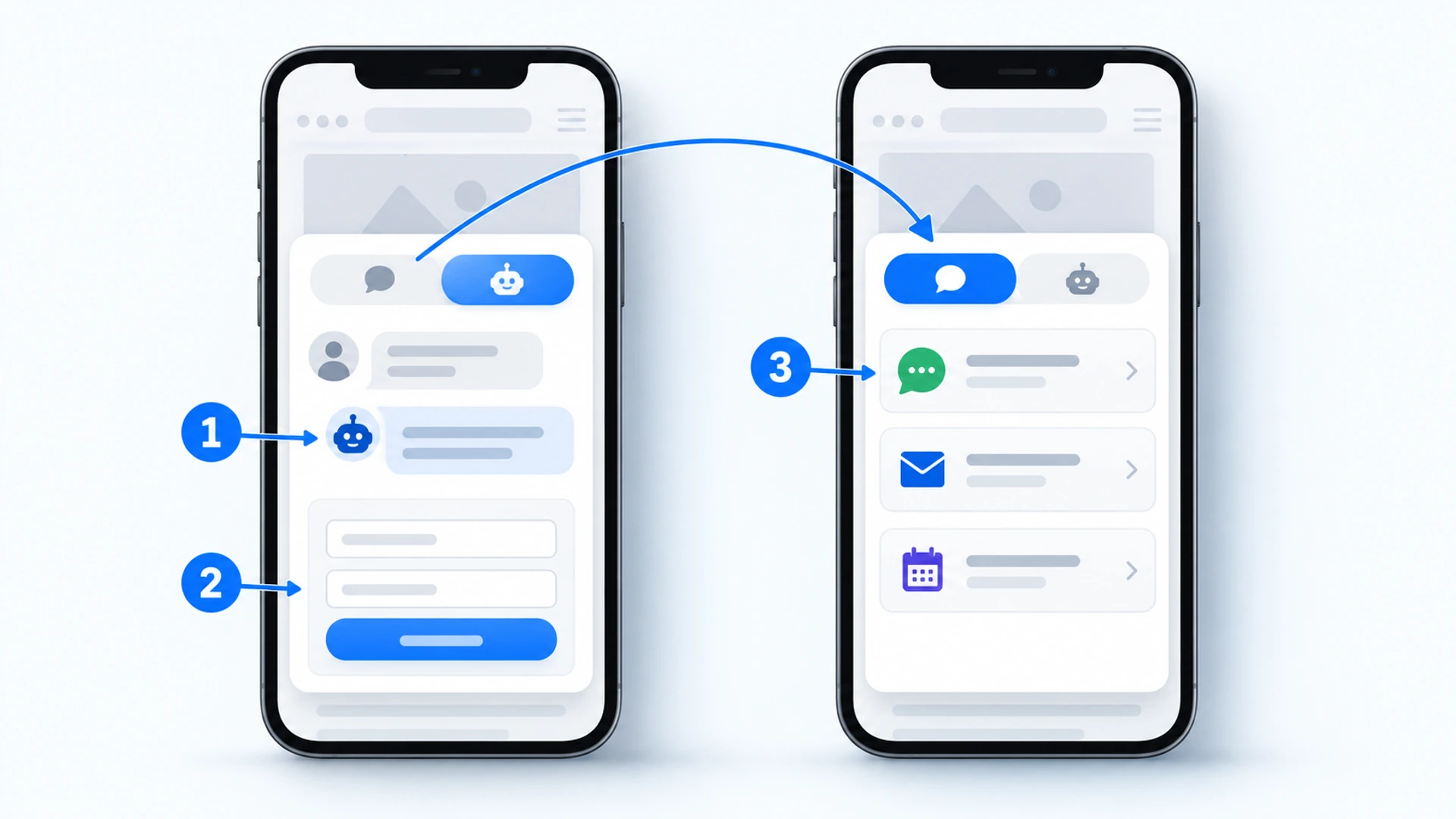
Open AI Chatbots, choose Create AI Chatbot, add your website or sitemap at the Data Sources step and press Start indexing on its card. A crawl reads a limited batch of pages, so check the Indexed Content list for the ones you expect. At Preview & Connect, pick Add to an existing Website Widget and select the widget from step 1 (published widgets only). That gives you Contact + Ask AI: two tabs in one widget, installed once.
Greeting message, in the assistant’s Settings, is the first line a visitor reads in Ask AI. Use it for part two: what the assistant covers and where the people are. On the Suggested Questions tab, add a few questions your pages answer well and set them live, so a visitor can start on ground you’ve checked. Three can be live on AI Chatbot Free.
I'm an automated assistant and I answer from the pages on this site. I can help with [opening hours, prices and the areas we cover]. I can't see orders or bookings. For a person, open the Contact tab.Step 4: Point The Miss Toward A Person
This step needs AI Chatbot Starter. In the assistant’s Settings, add the Custom Instructions listed later in this article. The first asks Ask AI to point to the Contact tab when the website lacks the answer.
Then, under Visitor Capture, choose when a small form (an optional name and an email address) is offered. Contact Intent Capture offers it when a visitor’s message asks to talk to or hear from someone. Fallback Capture can show it under that fixed unavailable line. What the visitor leaves is emailed to you with the question they last typed, so set Capture notification email to an address you check daily. On AI Chatbot Free there’s no capture form, only the Contact tab.
Publish the assistant from its Preview tab (the button reads Publish Ask AI), then open its Fallback tab, which should read “Visitors can switch to Contact”. “Ask AI-only placement” means there is no Contact tab behind it. To install, copy the snippet from the widget’s Install tab and paste it just before the closing body tag. The setup guide has the full sequence, and plans are on the pricing page.
Chatbot Fallback Message Examples By Business Type
Before You Copy One
Square brackets mark what you replace. Copy the closest set, then swap in topics your pages really cover and a route you really check. For the reply time, promise what you manage on your worst normal day. “Within one working day”, kept every time, beats “within minutes”, missed twice a week.
The Manual Q&A lines need AI Chatbot Starter. On the assistant’s Data Sources tab, choose Add Source, pick Manual Q&A, enter a question with its answer (your own reply to a miss you can see coming) and press Start indexing. Ask AI draws on the pair like any other source and may not recite it word for word, so ask the question in Preview afterwards.
Trades And Home Services
For a plumber or an electrician, the questions that miss are about one particular job. Ask for what you’d need to quote it.
WhatsApp channel, Description:
Send your postcode and a photo of the job. [Name] replies between jobs, usually within [three hours], [Monday to Saturday].

Manual Q&A, question:
How much will my job cost?

Manual Q&A, answer:
It depends on the job, and a figure from me would be a guess. Send your postcode and a photo on WhatsApp from the Contact tab and [Name] will quote, usually within [three hours], [Monday to Saturday]. Urgent leak or no power? Don't wait for a message. Tap Call now on the Contact tab, or ring [number], answered [7am to 7pm].

Call button (Custom Link), Description:
Urgent leak or no power? Answered [7am to 7pm], [Monday to Saturday].
Clinics, Salons And Studios
Here the assistant must never advise on one person’s skin or teeth. Say so plainly.
Manual Q&A, question:
Is this treatment safe for me?

Manual Q&A, answer:
That's a question for the team. I can't give advice about an individual treatment or condition. Ask [reception] through the form on the Contact tab and you'll have a reply within [one working day]. To book or move an appointment, use Book Appointment on the same tab.

Contact Form, Success Message:
Thanks, we have your question. [Reception] replies by email within [one working day], [Monday to Friday].
Online Shops
“Where is my order?” is the obvious miss in a shop, because an assistant that reads your website can’t see orders.
Greeting message:
I'm an automated assistant and I answer from this shop's pages: [delivery, returns and sizing]. I can't see orders or accounts. For those, use the form on the Contact tab.

Manual Q&A, question:
Where is my order?

Manual Q&A, answer:
I can't see orders or accounts, so I can't check that for you. Send your order number through the form on the Contact tab and we'll reply within [one working day], [Monday to Friday].

Contact Form, Description:
Order questions: include your order number. We reply within [one working day].
Agencies, Consultants And Quoted Work
When the true answer is “it depends on the project”, say that, and trade the question for a short brief.
Manual Q&A, question:
How much does a project cost?

Manual Q&A, answer:
That depends on the project, and any figure from me would be a guess. Tell us a little about it through the form on the Contact tab and [Name] will reply with a proper answer within [two working days]. Prefer to talk it through? Use Book Appointment on the same tab.

Book Appointment, Intro note:
A [20-minute] call with [Name] to talk your project through. Nothing to prepare.
Cafes, Restaurants And Venues
Private hire and big group bookings belong with a person. Allergens more so: a menu page that changed last week shouldn’t be the one answering.
Manual Q&A, question:
Is this dish safe for my allergy?

Manual Q&A, answer:
For allergens I won't guess, because menus change. Please ask the team directly: tap Call now on the Contact tab, or ring [number], between [11am and 9pm]. You can also message us from the same tab. We read messages [before service each day].

Business Hours, Note:
We read messages [before service each day]. For allergens, please phone: tap Call now on the Contact tab.
Chatbot Fallback Message Examples For After Hours
A widget shows the hours you typed, not who is at a desk, so the after-hours wording goes in the WhatsApp description and the Business Hours note. Say “the next working day”, never “tomorrow”, or Friday night makes a liar of you.
WhatsApp channel, Description:
We reply [Monday to Friday, 9am to 5pm], usually within [two hours]. Outside those hours, yours is the first message we read on the next working day.

Business Hours, Note:
Closed right now? Send a message from this tab and we'll reply by [10am] on the next working day.

Contact Form, Success Message:
Thanks, we have it. We reply within [one working day], [Monday to Friday]. Sent at the weekend? You'll hear from us on Monday.
For an automatic reply at 10pm, the WhatsApp Business app has a schedulable away message (opens in a new tab).
The Reply You Send Yourself
The last message in the chain is yours, and no widget writes it. Answer the question first and say what happens next. Never make the visitor repeat it.
Hi [Name], thanks for your message. You asked whether [we cover Harlow]. [We do, and this is how the call-out fee works: ...]

[I can come on Thursday morning. Shall I book you in?]

Sorry the website couldn't tell you that. It's on the page now.
The Questions That Should Skip The Bot Entirely
Some questions shouldn’t reach the fallback at all, because a plausible answer stitched together from your pages would be worse than none. Ours:
- Emergencies and safety. A gas smell, chest pain, a child locked in a car.
- Anything about one order, booking, account or invoice. The bot can’t see it.
- Advice for one person’s situation. Medical, legal or financial, including “is this safe for me?”
- Complaints, refunds and cancellations. A decision needs someone allowed to make it.
- Prices for non-standard work. A quote is a promise.
From AI Chatbot Starter, a Manual Q&A pair covers the ones you can predict, and Custom Instructions steer Ask AI away from the rest. On any plan, keep risky pages out of its reading: under Indexed Content on the Data Sources tab, press Ignore on an old price list or a retired menu.
When the answer isn't on the website, say so and point the visitor to the Contact tab.

Do not give medical, legal or financial advice about one person's situation. Say the team can help and point to the Contact tab.

Do not quote a price unless it appears on the website.

For complaints, refunds and cancellations, do not decide anything. Point to the Contact tab.
An instruction is a request. An oddly worded question can slip past it, so after each change rerun the money and “talk to a person” groups from our 30 awkward test questions.
Miss On Purpose Before Your Visitors Do
Wording you haven’t seen on a phone is a guess too. Open the live site on yours and run three checks.
- Ask something no page covers, such as opening on a public holiday. Does the reply admit the gap and name a route to a person?
- Type “can I speak to someone?”. With Contact Intent Capture on, the short form should follow.
- Open the Contact tab and tap every channel. Send yourself the form, then look for the notification email, spam folder included.
If the first check returns a confident paragraph, wording isn’t your problem yet. Chatbot Giving Wrong Answers? What To Do In The First Hour traces an answer like that to the page behind it. If an honest miss names no route, check that the greeting names the Contact tab.
Every Miss Is A Page You Have Not Written
A miss is also a clue: a visitor asking, in their own words, for something your website doesn’t say. From AI Chatbot Starter, the assistant’s Analytics tab has an Unanswered Questions card for questions that found no relevant source (AI Chatbot Free shows usage counters only). Read it once a month and turn the repeats into sentences on your pages. What To Do With Unanswered Chatbot Questions Every Month has the routine.
Take the Harlow question from the top. No fallback wording repairs it for the next visitor. One line on the service-area page saying whether you cover Harlow does, along with one on the pricing page about the call-out fee.