
Stop Your Chat Widget Covering Content On Mobile
The bubble is small. The trouble is that it is pinned to the screen, and so are the cookie banner and the buy button. Check five things on a phone, then fix what each one turns up.
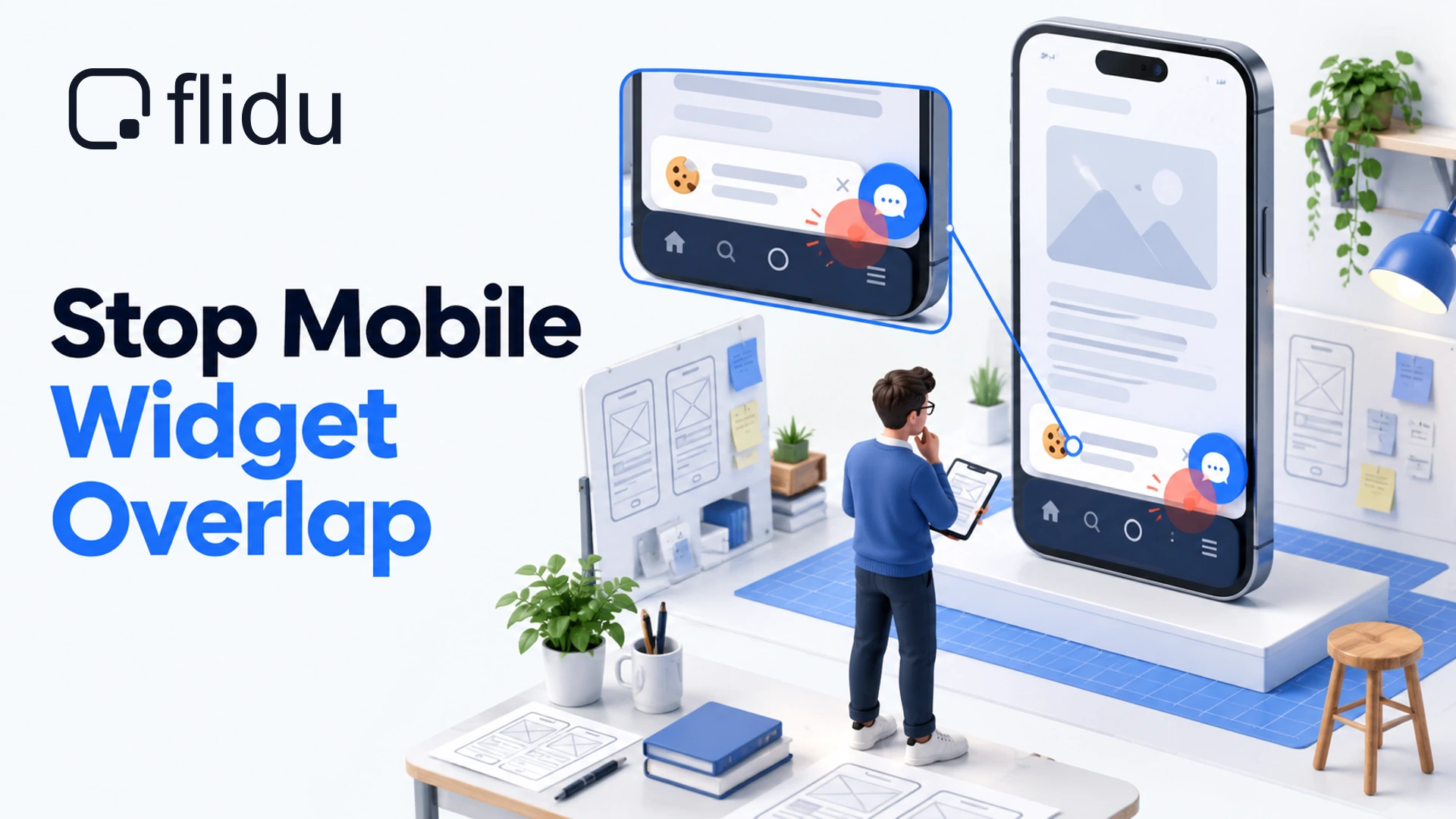
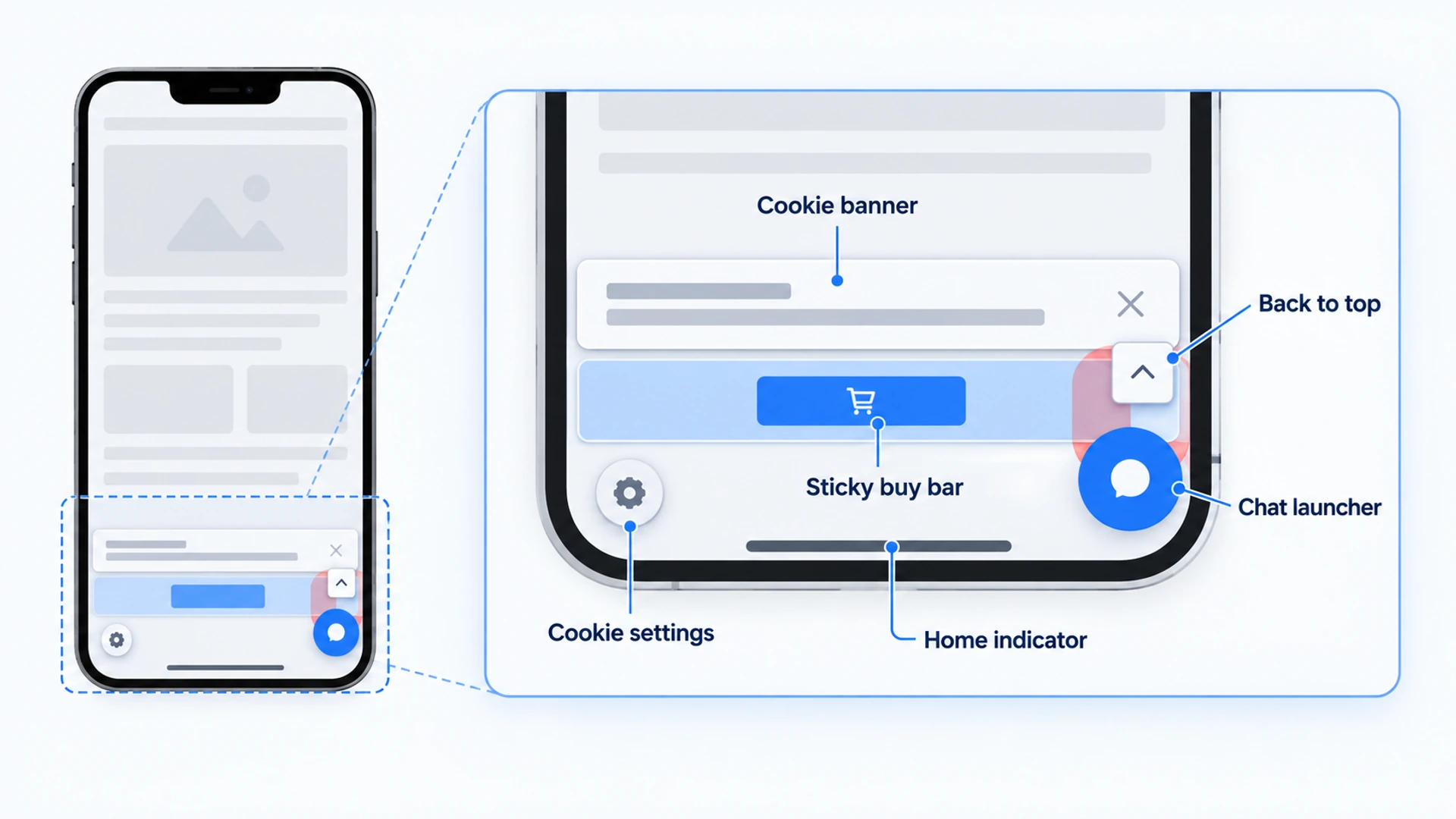
A chat widget covering content on mobile is usually sitting on one of five things.
- The buy button. Add To Cart or Book Now, and most often a sticky one.
- A cookie banner. Usually its Accept or Reject button, so nobody can answer it.
- Another floating icon. A back-to-top arrow, or the cookie-settings button left behind once the banner has gone.
- Your form’s Send button, when the form ends the page.
- The last line of the page. Footer links, or the total under a price table.
By “chat widget” we mean any floating launcher: a chatbot, a stack of contact buttons, or chat with a person. We build one, and our view is that the bubble is rarely too big. It is pinned to the screen, and so are most of the things it collides with.
So spend five minutes with a phone, name the collision, and fix that cause. Each fix below is a setting in Flidu, the widget we make, and we say where it has none. Hiding the widget is the last resort, because it is the only fix that costs you something.
The Five-Minute Audit For A Chat Widget Covering Content On Mobile
Most launchers get approved on a laptop, where a small circle in the corner of a wide window bothers nobody. On a phone the same circle takes a real share of the screen’s width. So use a real phone and screenshot every step. Those are your “before” pictures.
- Open the site in a private tab. With no saved cookie choice, the banner appears as a first-time visitor sees it.
- Stop at the banner. Before answering it, try to tap each of its buttons.
- Scroll to the bottom of the home page. Read the last footer line and tap the last link.
- Visit the pages that take money or details. Product, booking, contact, cart. Tap whatever sits nearest the bottom corners.
- Tap the launcher and type a few words. Check the text box stays above the keyboard, then close the window.
What Counts As A Chat Widget Covering Content On Mobile
Not every overlap is a fault. A bubble over the middle of a paragraph is a nuisance until the reader scrolls an inch. It becomes a fault when the thing underneath is pinned too (a banner or a sticky bar), or when it is the end of the page, where no scrolling moves it clear.
The W3C accessibility guidelines draw a similar line. Focus Not Obscured (opens in a new tab) says a control that receives keyboard focus must not be entirely hidden by content the site’s author added, and it names sticky footers among the usual causes.
Match What You Saw To A Flidu Setting
Three settings deal with four of these between them. One has no setting, and the table says which.
| What You Saw | Why It Happens | What To Do |
|---|---|---|
| Launcher on a floating icon or corner button | Two things share one corner | Position: the other corner (every plan) |
| Launcher on a full-width sticky bar | No corner clears the bar | Page Targeting: hide it there (Website Widgets Pro) |
| Launcher on a cookie banner button | Both are pinned to the bottom | Position: the other corner, or change the banner layout |
| Last footer line hidden | The page ends under the launcher | Space below the footer (no setting) |
| Launcher in the way on every phone page | The screen is too crowded | Widget Visibility by Device (Website Widgets Starter) |
All three belong to Website Widgets, the Contact side of Flidu. The corner is on every plan, Free included, and pricing shows what else each plan carries.
If Your Current Widget Has None Of These Controls
If your launcher’s settings stop at color and greeting text, the audit can name the collision but not fix it. Flidu puts a Contact tab, an Ask AI tab, or both, behind one launcher. Contact covers WhatsApp, Messenger, Instagram DM and Telegram hand-offs on Website Widgets Free, with a Contact Form from Website Widgets Starter. One caution: nobody on your staff types replies inside it in real time. If your current launcher does that and you depend on it, Flidu does not replace it.
- Create a free account, open Website Widgets in the sidebar and start a new widget. The setup guide follows the five steps, and Appearance is where you pick the corner. If you added a site during sign-up, open that one instead.
- On the Channels tab, open each channel, fill it in, then click Save as Draft and Publish changes. Channels ticked in the flow start as drafts, so publish at least one before you install.
- Open the widget’s Install tab and click Copy.
- Paste the snippet once, just before the closing body tag or in your platform’s footer custom-code area. The install reference covers placement.
- Remove the old launcher’s script. Two bubbles in one corner is the collision you came here to fix.
- Reload the site on your phone, then click Verify Installation on the Install tab.
Later changes happen in the dashboard, with no reinstall.
Bubble Blocking A Button? Move It To The Other Corner
This is the cheapest fix and the first to try. The widget sits in the bottom right or the bottom left, on every Website Widgets plan.
- In the dashboard, open the widget you want to move and go to its Appearance tab.
- Under Position, pick Bottom-left or Bottom-right. It saves as you choose.
- Reload the page on your phone and repeat the audit step that failed.
Bottom right is the default, so stay there unless the audit found something on the right that you cannot move.
There is no offset or spacing setting. The launcher keeps a fixed distance from the edges of whichever corner you choose. If you need it lifted above a full-width bar, Flidu cannot do that. Hide it on those pages instead.
Hide The Launcher On Checkout And Long Forms
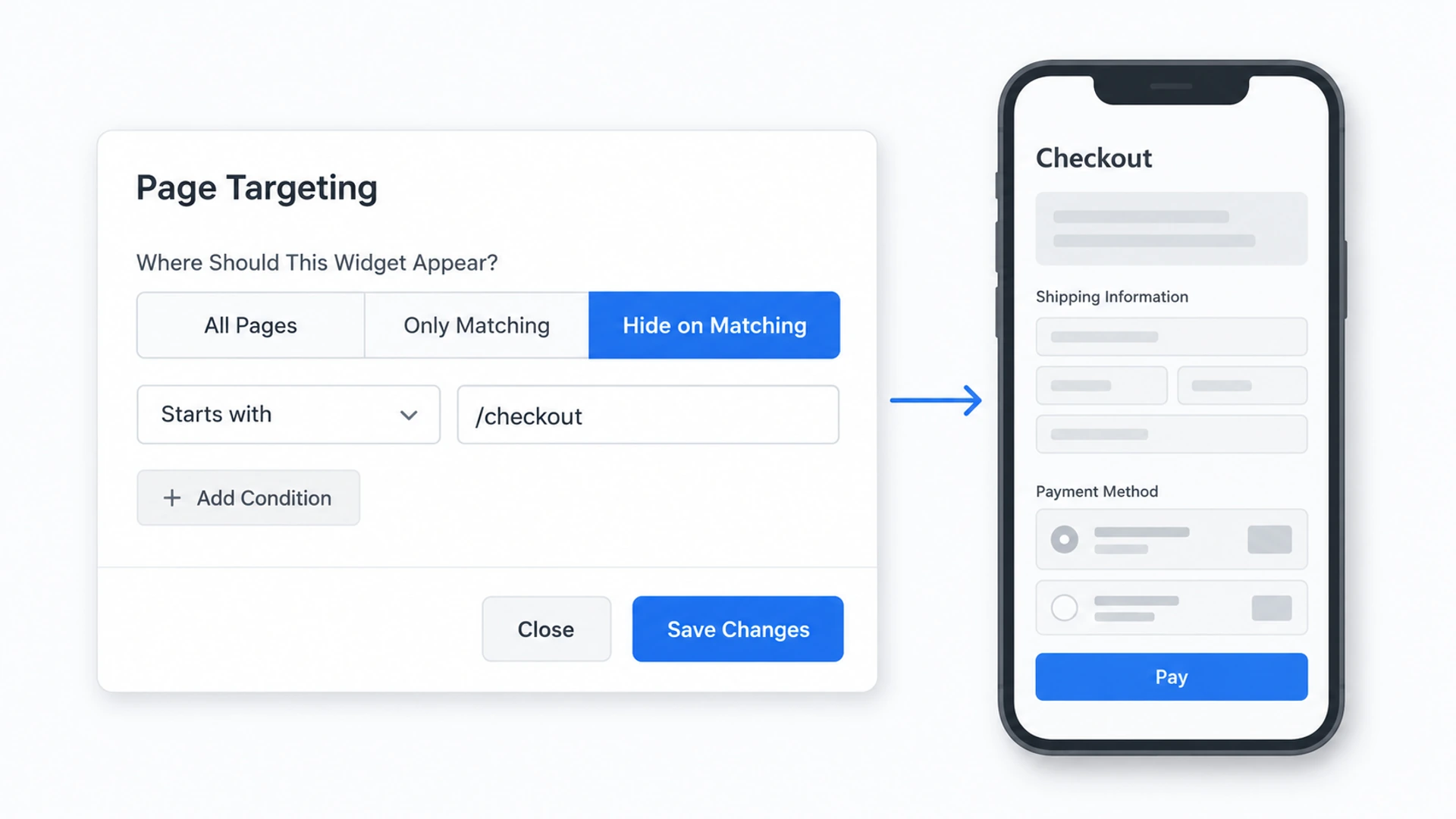
Some pages need their bottom strip more than they need a launcher: checkout and payment steps, product pages with a full-width sticky buy bar, long forms where the keyboard already takes much of the screen. Page Targeting, which starts on Website Widgets Pro, hides the widget on the pages you name and leaves it everywhere else. Below Pro, the card saves a rule but will not publish it.
- Open the widget’s Visibility & Targeting tab and click Configure on the Page Targeting card (on a tab already in use, the button reads Edit).
- Under Where Should This Widget Appear?, choose Hide on Matching.
- Click Add Condition. The new rule reads Starts with, so type the path after it, such as
/checkout. Paths begin with a slash and leave out the domain. - Add a condition for each further page. Exactly matches suits a single page such as
/contact, typed as the address bar shows it, trailing slash included. - Click Save Changes, then Publish Changes on the card (or Publish at the foot of the tab).
What A Hide Rule Does Not Reach
- Ask AI. These rules belong to Website Widgets and act on the Contact side. If the same widget also carries Ask AI, the launcher stays and opens Ask AI alone. To keep it off a page, leave the snippet off that page.
- Pages the snippet never loads on. Some checkouts are rendered apart from the theme (Shopify’s checkout steps are one), so look before you build a rule.
- A month far over the plan’s visitor allowance. Premium Website Widgets features are temporarily unavailable then, until usage resets or the plan changes.
One rule of our own: never hide the launcher without leaving another way to make contact on that page. A phone number in the page text, or a link to your contact page, is enough. Landing pages built around one action are a separate argument, which we have in Does A Chatbot On A Landing Page Help Or Get In The Way?
Hide A Chat Widget On Mobile Only, Or Give Phones Their Own
Widget Visibility by Device, from Website Widgets Starter, switches a widget off for phones. It also removes the contact route for every visitor on a phone, which is a strange thing to do to people who are already holding one. We would only use it where the page shows a phone number at phone width.
- On the Visibility & Targeting tab, turn on the switch on the Widget Visibility by Device card.
- Click Edit on the same card. Three tiles appear, Desktop, Tablet and Mobile, all selected.
- Click Mobile to deselect it, then save and publish as before.
Flidu judges the device from the width of the browser window when the page loads, so a large phone held sideways can count as a tablet. And like a page rule, this one hides the Contact side only, so an Ask AI tab keeps its launcher.
There is a gentler version. Every widget has its own device setting and its own Position, and a website can run more than one. So on Starter you can publish two Contact widgets: one for Desktop and Tablet in the bottom right, one for Mobile in the bottom left. Add Widget on the Overview tab creates the second, which starts with no channels and has its own snippet. Paste both on the site; each counts toward the plan’s published widgets.
Chat Widget Overlapping The Cookie Banner
This collision cannot wait, and we think there is only one right outcome: the banner wins. A bubble parked on the Reject button looks like a trick even when it is an accident.
Both are pinned, so the browser paints whichever has the higher stacking order on top, and widget makers set theirs high on purpose. Flidu’s is high too, with no setting to lower it or to hold the launcher back until the banner is answered.
That leaves position.
- Move the launcher. If the banner is a corner box, put the widget in the opposite corner. Then look on a phone, where a “corner” box can stretch most of the way across.
- Change the banner’s layout. Consent tools commonly offer a corner box, a full-width bar at the top or bottom, and a centered popup. A top bar or a centered popup cannot touch a bottom corner.
- Shift the leftover button. If your consent tool keeps a small floating button for changing choices later, give it the side your launcher is not on.
A dismissed banner can also do the reverse and swallow taps meant for the launcher, which belongs in WhatsApp Button Not Working On Your Website.
The Last Line Of The Page, Where Flidu Has No Setting
With no offset, the launcher sits over whatever reaches the bottom corner of the last screen: a footer link, or the total under a price table. The fix belongs to your page. Add empty space below the footer at phone widths (a spacer block, or your theme’s footer padding), reload on your phone, and stop when the last line scrolls clear of the launcher.
The same space rescues a form that ends the page, because its Send button can now scroll clear.
When The Chat Window Opens Full Screen On Mobile
A chat window that fills a phone screen covers content on purpose, and that is usually the right design, because a narrow panel would leave a strip of page too thin to use. On a phone-width screen, a Flidu panel opens full screen and the launcher hides while it is open. What matters is whether the visitor chose it and can leave it.
- It opens on a tap and nothing else. No setting opens the panel on a timer or on scroll.
- The close button sits in the top right of the open panel.
- Closing returns the visitor to the same page at the same scroll position.
- Test the keyboard yourself. Type into the open widget on your own phone and check the field stays in view. We cannot vouch for every phone and browser.
Take The After Screenshots
Run the same five checks on the same phone and put each new screenshot beside its “before”. A chat widget covering content on mobile is a fault you can see, so prove the fix the same way: either the button is clear or it is not.
Repeat the audit whenever something pinned changes, such as a new consent tool or a sticky bar added for a sale. Neither will warn you that the corner is now shared. For the rest of the site, The Service Business Website Checklist To Run On Your Phone picks up where this one stops.
Frequently Asked Questions
Should a chat widget go on the bottom right or the bottom left?
How do I stop my chat widget overlapping the cookie banner?
Should I hide the chat widget on checkout pages?
How do I hide a chat widget on mobile only?
Is a chat widget covering content on mobile bad for SEO?
 Website WidgetsWhatsApp Button Not Working On Your Website: Fixes By Symptom
 Conversion & Visitor ExperienceThe Service Business Website Checklist To Run On Your Phone
 Conversion & Visitor ExperienceDoes A Chatbot On A Landing Page Help Or Get In The Way?
 Product GuidesHow To Add A WhatsApp Button To Squarespace (Both Ways)