How To Prepare Website Content For An AI Chatbot
An assistant repeats whatever your pages say, including the price you forgot to change. Tidy the pages first, then choose exactly what Flidu Ask AI gets to read.

Say you run a dog-grooming salon. Two springs ago you built a page for a seasonal offer: a full groom for 45 dollars. The offer ended, the page came out of the menu, and you forgot about it. It's still on the web. Your price list says 60 now. The week you add a chatbot, a visitor asks what a full groom costs and is told 45. On Saturday they arrive expecting to pay it.
Nothing broke. A website chatbot answers by looking things up in your pages, so it is only as right as the page it finds. That is the reason to prepare website content for an AI chatbot before it meets a customer, and why most of the work is housekeeping.
We build one of these assistants: Ask AI, the answering side of Flidu, which reads only the sources you approve. The tidying below is yours. The second half shows how the tidy site goes into Ask AI, so the forgotten offer page never gets read.
Four Ways A Page Makes A Chatbot Wrong
Ask AI isn't retrained on your site. It indexes the readable text of the pages you approve, in passages, and answers a question from the passages that match it best.
So a wrong answer usually traces back to one of four faults on the page. When you prepare website content for an AI chatbot, these four are what you're hunting for.
- Missing. No page states the fact, so the best the assistant can do is say it can't answer.
- Stale. The page is out of date, or you corrected it and the assistant hasn't read it again.
- Split condition. The fact is in one place and its limit in another: "walk-ins welcome" in the banner, "nail trims only" on the booking page.
- Contradiction. Two published pages disagree, and nothing tells the assistant which one you meant. That was the grooming salon.
How To Prepare Website Content For An AI Chatbot In One Afternoon
Our rule of thumb for a site of ten to thirty pages is three to four hours. You need editing access and a spreadsheet with four columns.
Page address | Keep, fix or retire | Facts this page states | Last checkedFinish before the assistant first reads your site. In Flidu a re-read is called a recrawl, and recrawls are rationed: each plan has a monthly allowance, and a source has to wait between two crawls.
Start With A List Of Every Live Page
The page that hurts you is the one you forgot, so don't work from the menu. Type your address followed by /sitemap.xml into a browser. Squarespace builds that file for you, and WordPress without an SEO plugin serves its own at /wp-sitemap.xml.
Sitemaps miss things, so cast a second net in Google with the site: operator (opens in a new tab), which keeps results to your own domain:
site:yourdomain.com offer
site:yourdomain.com 2024
site:yourdomain.com refund
Google says the list is not always exhaustive. Put every address in column one and mark it keep, fix or retire.
The Twelve Facts Every Chatbot Gets Asked
The list is ours, not a study's: twelve things a customer wants settled before they commit. Your own enquiries beat it, and they take an afternoon to collect. For each line, find the sentence on your site that answers it. No sentence means the fact is missing, and you write it today.
- Services. Named the way customers name them.
- What you do not do. The requests you turn down.
- Price. A figure, a "from" figure or a range, with its unit.
- What is included. And the extras that surprise people.
- Location or service area. An address, or the towns you cover.
- Opening hours. Closed days and public holidays too.
- How to book or order. The steps, and how far ahead you fill up.
- Timing. How long the appointment, turnaround or delivery takes.
- Cancellations and refunds. The notice you need and what comes back.
- Payment. What you accept, and whether a deposit is due.
- What to bring or prepare. Paperwork, measurements, a vaccination record.
- A way to reach a person. The number, and how long a reply takes.
Don't skip two and twelve. An assistant can't turn down what no page says you turn down, and a visitor it can't help needs a way to reach you.
Check where each sentence sits. Ask AI indexes a page's main text and is built to leave out the header, the menu and the footer, so hours or a phone number that appear only in your footer need a sentence in a page's body too.
Prepare Website Content For An AI Chatbot Without Rewriting It
Thin sites don't need more pages. They need a dozen sentences that can stand on their own: read one aloud with no page around it and see whether it still makes sense.
Before: Contact us for pricing.
After:  A full groom costs from 60 dollars for small breeds and from 75 for large breeds. The price includes a wash, a cut and nail trimming.
A sentence survives being lifted out of its page when it names its subject (the service, not "it"), carries the number with its unit, and says who it applies to.
Find The Contradictions And Pick One Winner
Take each fact that carries a number or a rule and find every place the site states it. Search for the word (refund, deposit, delivery) and not the number, because the old figure is the one you've forgotten.
When two pages disagree, the tempting fix is to correct both. Don't. Give each fact one home, and make the other pages point to it. The price lives on the pricing page and the service page links there. Next January you change one page and nothing is left behind to disagree with it.
Refund wording deserves the most care. The terms page says 14 days, the FAQ says no refunds on sale items, and both were true when written. Decide today's policy and write it once, exceptions included.
Put The Condition Next To The Fact
This is the easiest fault to miss, because to a human reader the page looks fine: you see the promise and the small print on one screen and join them without noticing. The assistant may be handed one without the other.
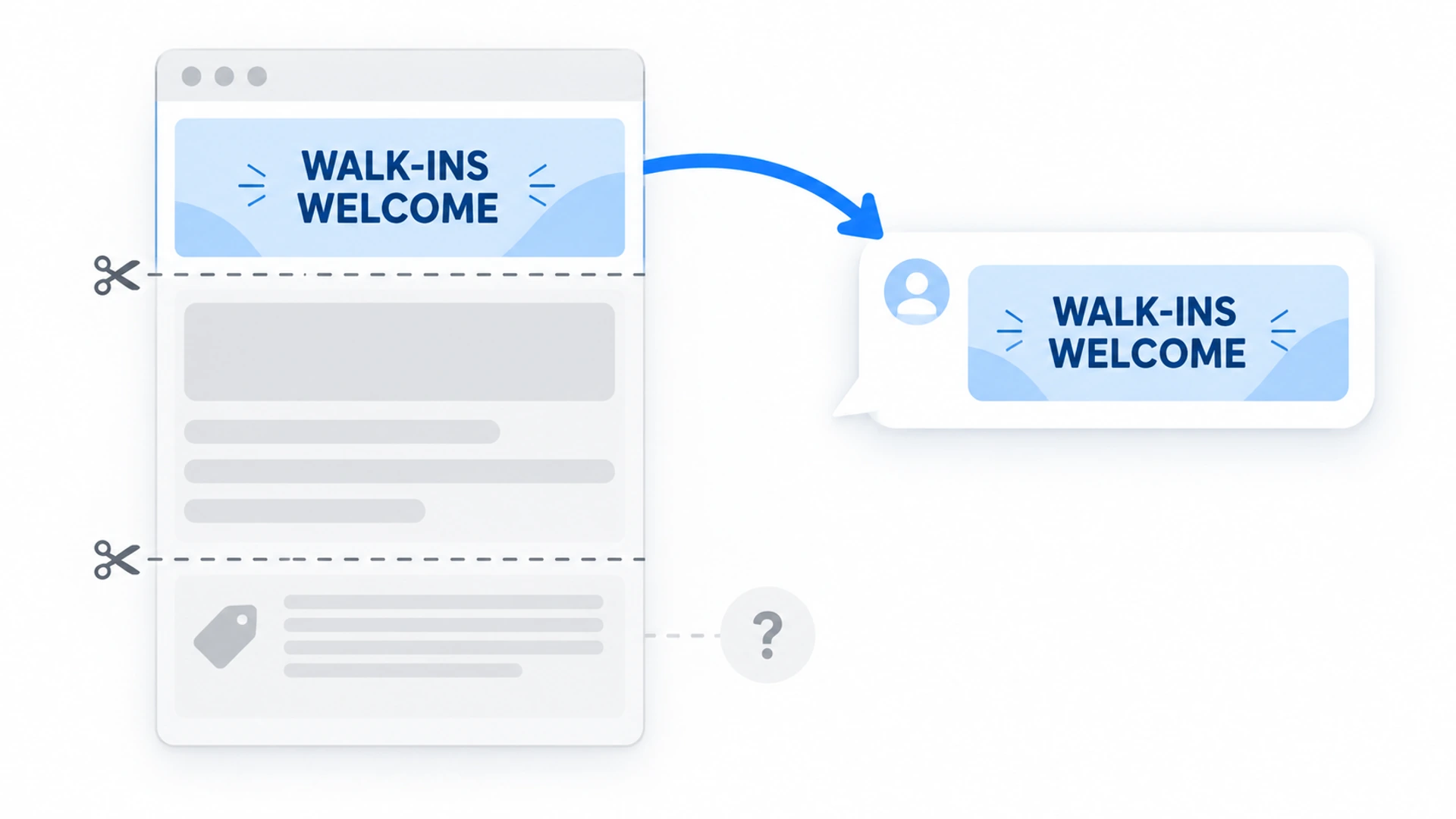
Go through the twelve again and mark every fact that has a limit: a minimum order, a region, a date, an age. The limit belongs in the same sentence as the fact, or at worst the next one.
Split:  "Walk-ins welcome" in the banner, "nail trims only" on the booking page.
Joined: Walk-ins are welcome for nail trims. A full groom needs a booking.

Split:  "Cancel any time" on one page, "48 hours notice" in the terms.
Joined: Cancel free of charge up to 48 hours before your appointment.
Retire The Pages Nobody Should See
Some pages are wrong for everyone: the expired offer, the old price list. Switch those off in your site builder; hiding them from the assistant alone leaves them live for customers. On WordPress, set the page back to Draft. On Squarespace, turn off the Enable Page toggle in the page's settings. Moving it to Not linked won't do: Squarespace says those pages stay public (opens in a new tab).
Load The Clean Site Into Flidu Ask AI
In the Flidu dashboard, open AI Chatbots, then your assistant, then its Data Sources tab. (Our step-by-step guide and the Setup Guide cover creating one.) Ask AI belongs to the AI Chatbot product line, which has a Free plan.
Choose Website URL, Sitemap Or Manual URL List
Choose Add Source. For web pages there are three kinds, and they differ in how much they decide for you.
- Website URL takes one public address. With Follow links on this site on (the default), it also indexes the pages that address links to on the same site, one level deep.
- Sitemap takes the address of your XML sitemap and discovers pages from it. Quick, but it can pick up the forgotten offer page if your site builder still lists it.
- Manual URL List takes one page per line, up to 25 pages on the same website, and reads nothing else.
For a small site we'd pick Manual URL List and paste in the rows your spreadsheet marks keep. Nothing gets in unless you listed it, so you know beforehand what a crawl will read. The other two take a limited batch of pages per crawl and can stop short of the whole site.
AI Chatbot Free allows one of these sources per assistant and 50 indexed pages; paid plans allow more (the pricing page compares them). Save the source. A Manual URL List can go straight to Start indexing on its card. With Website URL or Sitemap, wait: one job comes first.
Keep Pages Out With Included & Ignored Pages
A Website URL or Sitemap source can bring in pages that are fine for people and wrong for an assistant: blog archives (old posts quote old prices), competitor comparisons, legal boilerplate, thank-you and cart pages.
So before the first crawl, open Included & Ignored Pages and add a pattern. It's on the assistant's Data Sources tab, not in the Create AI Chatbot flow. There are four kinds: Path starts with, Path contains, URL starts with and URL contains. "Path starts with /blog" drops a whole section in one line. Patterns apply on the next crawl, so one added after indexing waits for a recrawl. AI Chatbot Free allows two patterns per assistant, AI Chatbot Starter ten.
Then press Start indexing on the source's card. If a stray page gets through anyway, find it in the Indexed Content list below your sources and press its Ignore button. That one needs no recrawl; Flidu confirms with "Page ignored. It won't be used in answers."
Fewer pages means more "can't answer" replies, and we think that's the right way round. An honest gap sends the visitor to you, while a confident wrong answer sends them off with a number you have to honor or take back. The gap needs a way through, though: an assistant that shares a widget with a Contact tab lets the visitor switch to it, and an Ask AI-only install has no Contact tab.
Read Indexed Content Before Visitors Do
After a crawl, each source card shows three counts: Found, Indexed and Not added. Then read the Indexed Content list against column one of your spreadsheet, both ways. Every line should be a page you marked keep; a retired page that shows up hasn't been retired. And every keep row should be on the list; if one is missing, a Manual URL List is how you name it.
Press the Failed filter too. A page labelled Could not read comes with a reason, such as "No readable text was found on this page." If that page is your price list, the price question has no answer. (Indexed Content is on every AI Chatbot plan.)
Add The Facts That Live On No Page
Files. Parking instructions or an after-care sheet can go in as a File Upload source: .txt, .md, .csv or .html, up to 2 MB each. PDF and Word files aren't accepted, so a PDF price list has to be saved as text first. AI Chatbot Free allows one file, AI Chatbot Starter five.
Manual Q&A. You write the question and the answer yourself, and the pair becomes a source Ask AI answers from. It suits facts you want worded with care: the refund rule, the deposit, what you don't do. Ask AI still writes the reply, so test it in Preview. It isn't on AI Chatbot Free; AI Chatbot Starter allows ten entries per assistant.
A file or a Q&A pair is another copy of a fact, so give each a row in the spreadsheet. A page that says 60 beside a Q&A that still says 45 is the old contradiction, rebuilt inside the tool.
Topics To Keep Out Of The Assistant Altogether
A few questions shouldn't get an assistant's answer however good your pages are: a quote for a specific job, advice that needs a license, live stock, and any complaint or refund dispute, where the person needs a person.
From AI Chatbot Starter, the Settings tab has a Custom Instructions list for guidance such as "Avoid giving prices unless they appear in the indexed website content." Use it, and don't rely on it: an instruction is guidance, not a filter. The surest way to keep a topic out is to keep it out of the sources Ask AI reads.
Test In Flidu Preview, Then Recrawl When A Fact Changes
The assistant's Preview tab is a test chat only you can see. Ask the twelve questions, then ask each one badly: misspelled, or using the wrong name for the service. With Source Cards switched on, an answer can list the pages Ask AI looked at for it, and those are the pages to check. For a harder set, use these 30 awkward questions.
Test questions count against the month's AI messages, and AI Chatbot Free has 100.
Keep the spreadsheet afterwards. Ask AI doesn't re-read a page because you edited it; the indexed copy changes when you press Recrawl on its source. So when a price changes, the day has three jobs: change the page, recrawl, ask the question again in Preview.
Recrawl isn't always there to press. After a crawl, the source card shows when the next one becomes available, so save up your edits for one sitting.